Android TV Stick with Ethernet Port: Why a Wired Connection Still Matters
Most Android TV sticks have no Ethernet port and rely on WiFi only. The X98 RK3539 is different: built-in 100Mbps Ethernet plus dual-band WiFi 6 and AV1 4K@60 — wired connection, no adapter to buy.
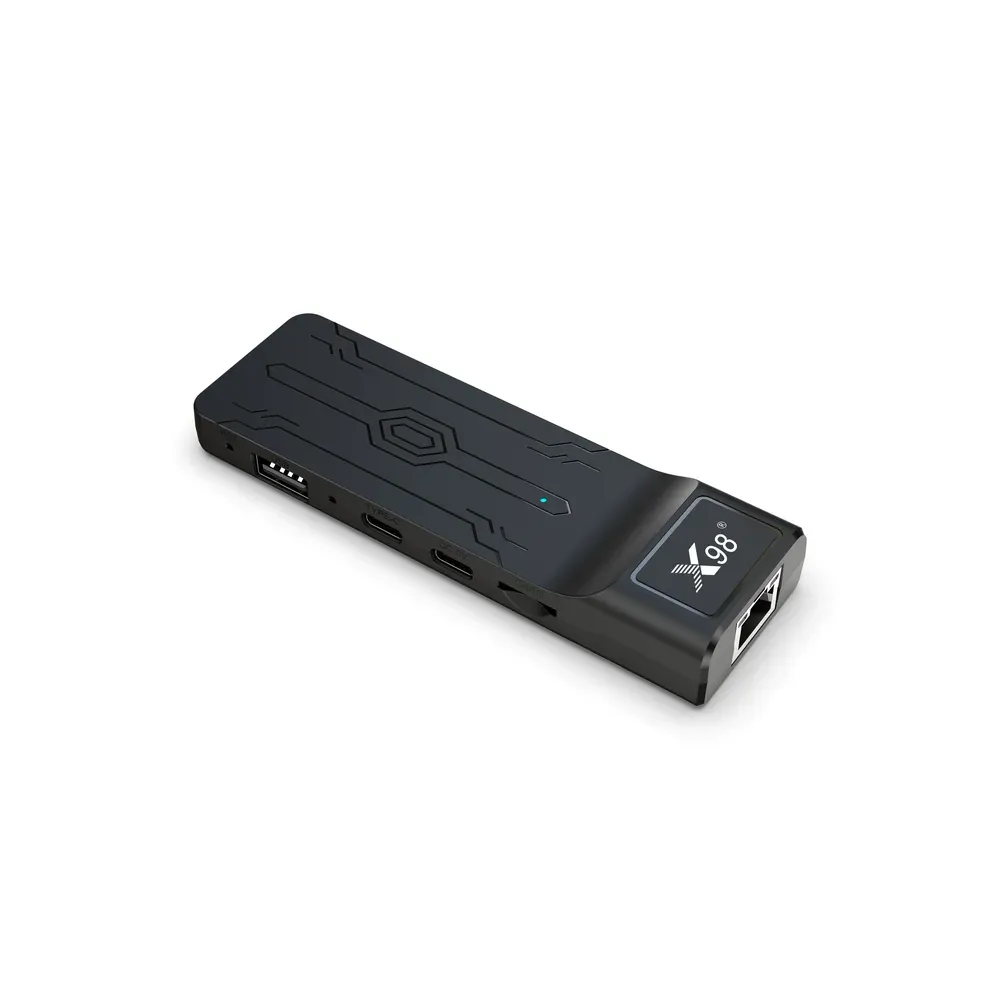
Most Android TV sticks have no Ethernet port. They stream over WiFi only, and when the WiFi is weak, the picture stutters. The X98 RK3539 is built differently: it has a 100Mbps Ethernet port built into the stick, alongside dual-band WiFi 6. Plug in a cable for a stable wired connection, or use WiFi — no adapter to buy, no extra box on the shelf.
What the best-known sticks leave out
The four best-known TV sticks all plug straight into the TV's HD port and draw power from a USB cable. None of them has a built-in Ethernet port. Chromecast with Google TV owners who want a wired connection have to buy a separate power adapter with an Ethernet port. The Fire TV Stick 4K Max, Xiaomi TV Stick 4K and Roku Streaming Stick 4K have no wired option at all.
When WiFi alone is not enough
WiFi works well until it doesn't: a router two rooms away, thick walls, dozens of devices on one network, or a neighbour's network on the same channel. 4K video needs a steady stream, and a dropped connection shows up as buffering, not as a slightly softer picture. Hotels, apartments and operator deployments feel this most — managed networks, many rooms, and users who blame the box, not the WiFi. A cable removes the variable.
What the X98 RK3539 does differently
The X98 RK3539 keeps the stick form — 118x37x18mm, 0.2kg, plugs directly into the TV's HD port — and adds the port the others leave out: a built-in 100Mbps Ethernet port, next to dual-band WiFi 6 (IEEE 802.11 b/g/n/ac/ax, 2.4GHz and 5GHz). Use the cable where the network is wired, use WiFi where it isn't. The rest of the spec is current: Rockchip RK3539 quad-core Cortex-A55, Mali-G310 GPU, Android 14, AV1 and H.265 decoding at 4K@60fps, HDR10+ processing, Bluetooth 5.X, 1x USB 2.0 Type-A and 1x USB 2.0 Type-C, Micro SD slot, and 1.5GB/2GB RAM with 8GB/16GB storage options.
X98 RK3539 vs the usual WiFi-only sticks
| X98 RK3539 | Fire TV Stick 4K Max (2nd gen) | Chromecast with Google TV 4K | Xiaomi TV Stick 4K | Roku Streaming Stick 4K | |
|---|---|---|---|---|---|
| Ethernet port | Built-in 100Mbps | None | None (adapter sold separately) | None | None |
| Connection | WiFi 6 + Ethernet | WiFi only | WiFi only | WiFi only | WiFi only |
| Form | Stick, 118x37x18mm | Stick | Puck + short cable | Stick | Stick |
Who benefits most
- Homes with weak WiFi: a cable ends buffering without moving the router.
- Hotels and hospitality: wired rooms, one less thing to troubleshoot.
- Operators bundling boxes: a stick that works on a wired install with no adapter in the box.
- Distributors: one SKU that covers both wired and wireless customers.
Does the X98 RK3539 need an Ethernet cable to work?
No. WiFi 6 works on its own; the Ethernet port is there when you want a wired connection.
Is 100Mbps fast enough for 4K?
Yes. A 4K stream typically needs 15–25Mbps, so 100Mbps leaves plenty of headroom.
Can I switch between Ethernet and WiFi?
Yes. Plug in the cable for a wired connection, or connect over WiFi 6 — use whichever suits the room.
Does the Ethernet port make the stick bigger?
No. The stick is 118x37x18mm and plugs directly into the TV's HD port, like any other stick.
Can I order it with my own brand?
Yes. OEM/ODM is available (custom logo, packaging, UI, pre-installed apps, firmware). MOQ 500 pcs, 15-day lead time.